Features

A complete alerting layer for Intercom

Support Alerts watches every conversation in your inbox and routes the right alert to the right person — over Slack or email — the moment it matters.

Trigger events

10 ways to keep your inbox under control

SLA pre-breach

Fires before an SLA breaches, based on Intercom's own next_breach_at timers — including office hours and holidays.

Conversation idle

Get notified when a conversation has been waiting too long, on the days of the week you choose.

Negative CSAT rating

An alert fires the moment a customer leaves a low satisfaction score, with the agent who handled it.

Priority changed to urgent

Catch conversations the moment they're escalated to urgent priority inside Intercom.

Unassigned conversation

Make sure new conversations don't sit unassigned — alert a team lead if nobody picks it up.

Fin AI handed off

Know immediately when Fin AI hands a conversation back to a human teammate.

Customer replied

Alert the assigned agent the instant a customer responds to a conversation.

Conversation snoozed

Track when conversations are snoozed so they don't quietly disappear from view.

Filters for every rule

Narrow any rule by contact tag, priority, CSAT rating, or team — so alerts only fire when they're relevant.
Delivery & escalation

Alerts reach the right person, not just everyone

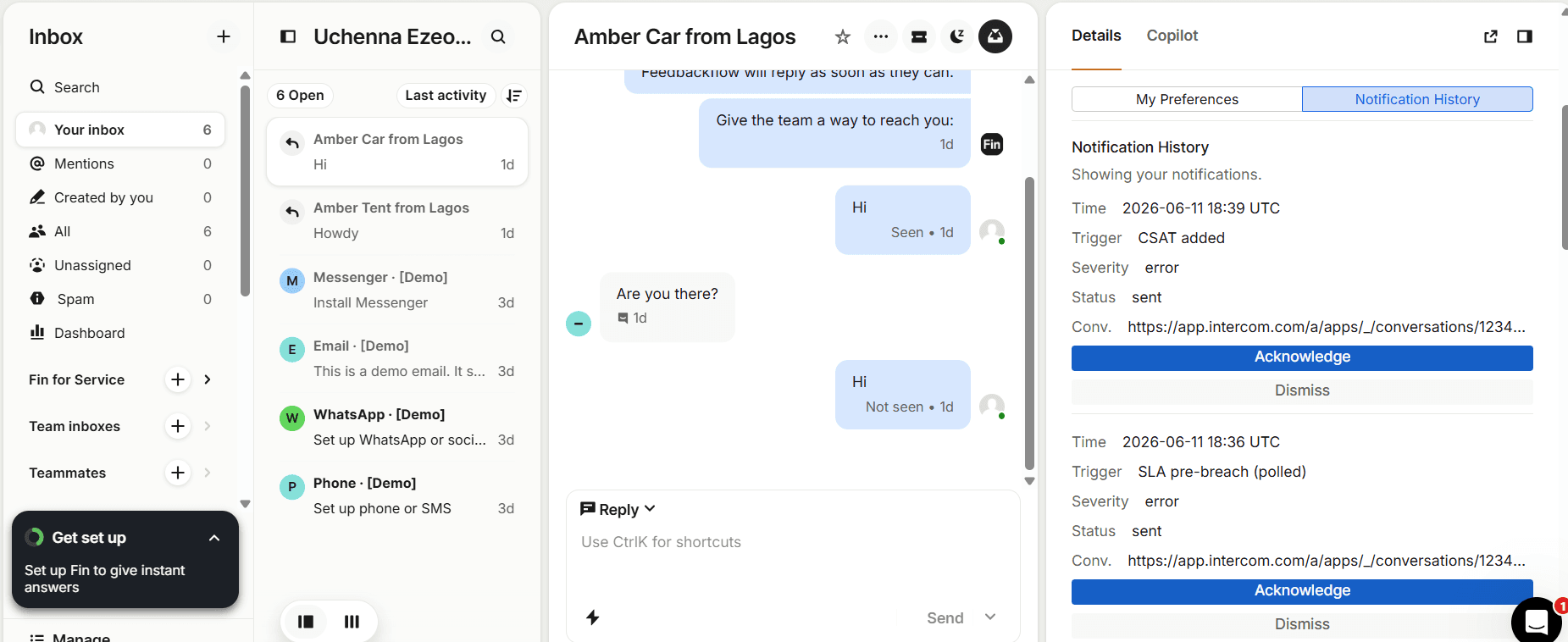
Acknowledge and Dismiss buttons on a Support Alerts notification inside the Intercom Inbox

Slack DM, channel, or both

Send to an individual agent's DM, a shared channel, or both — with one-click Acknowledge and Dismiss.

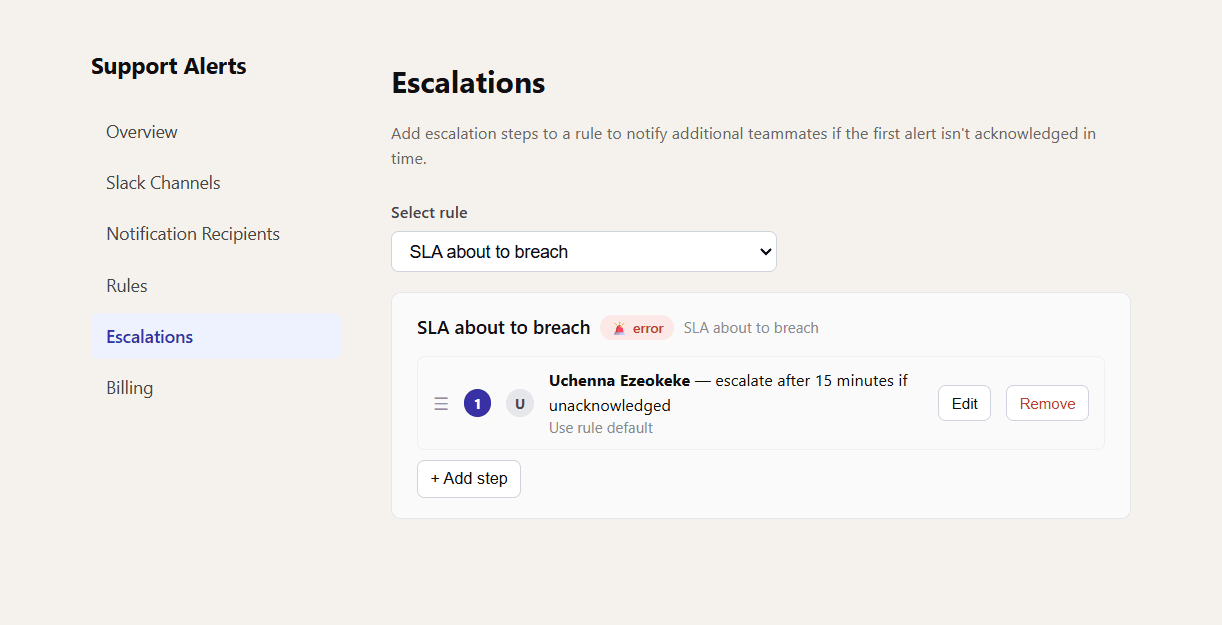
Escalation chain configuration screen showing a step that escalates after 15 minutes if unacknowledged

Escalation chains

If an alert isn't acknowledged within a set number of minutes, it's automatically escalated to the next teammate in the chain.

Built for real schedules

Respect mute hours, working days, and inboxes

Realtime, hourly, or daily digests

Each agent chooses their own email cadence — instant notifications, an hourly batch, or one daily summary.

Mute hours

Set quiet hours per agent so alerts don't land at 2am — they're queued for the digest instead.

Working days

Alerts only go out on the days an agent actually works, with full timezone-aware scheduling in UTC.

Notification history

Every alert — sent, acknowledged, or dismissed — is logged and searchable, scoped to each agent.

Admin oversight

Admins can see every notification across the workspace and audit acknowledgement and dismissal activity.

Automatic Slack matching

On install, agents are automatically matched to their Slack accounts by email — no manual setup needed.

See it running in your own inbox

Install Support Alerts and create your first rule in under two minutes — no credit card required to start.