Built for Intercom support teams

Never miss an SLA, an idle chat, or an unhappy customer again.

Support Alerts watches every conversation in your Intercom inbox and pings the right teammate on Slack or email the moment something needs attention — before it turns into a missed SLA or a bad review.

10Trigger events
<5sAvg. alert latency
3Delivery channels
2 minSetup time
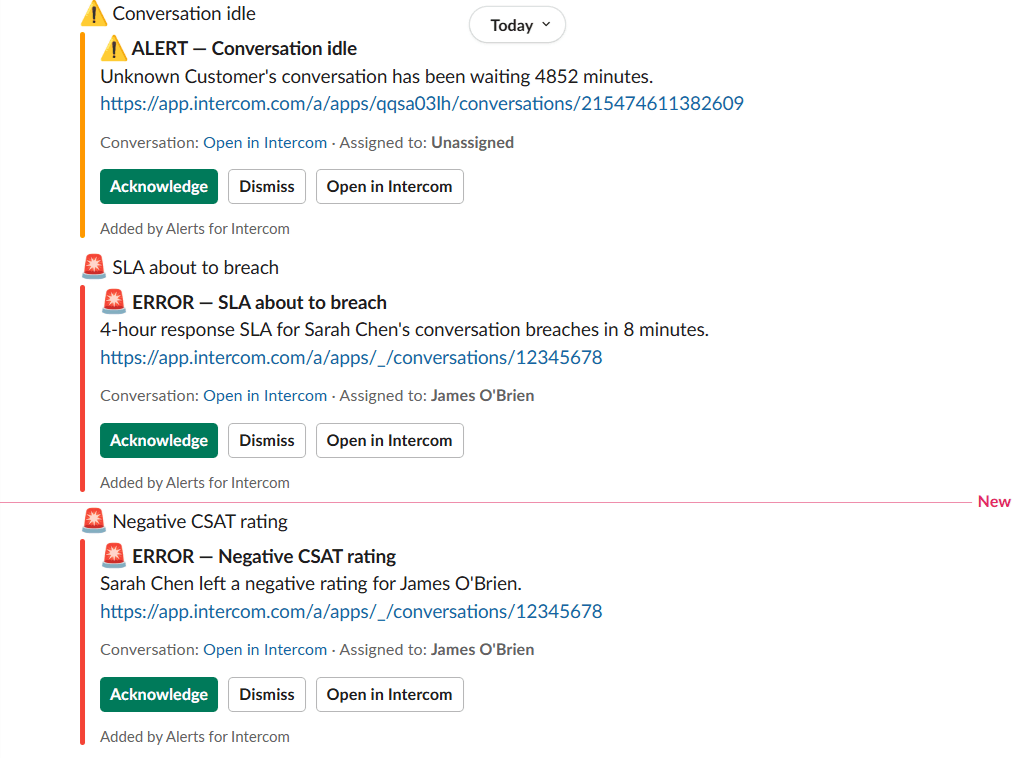
Support Alerts notification feed showing idle conversation, SLA breach, and negative CSAT alerts

SLA breach in 8 min

Sarah Chen's conversation

Sent to #support-urgent
SLA about to breachConversation idleNegative CSATPriority changed to urgentUnassigned conversationFin AI handed offCustomer repliedConversation snoozed
Everything that matters, in real time

One alerting layer for your entire Intercom inbox

Set up rules in minutes and let Support Alerts keep watch — so nothing slips through the cracks while your team focuses on conversations.

SLA pre-breach warnings

Get pinged minutes before an SLA breaches — based on Intercom's own SLA timers, including office hours and holidays.

Idle conversation reminders

Catch conversations that have gone quiet for too long, on any day of the week you choose.

CSAT & priority alerts

Instant alerts when a customer leaves a negative rating or a conversation is marked urgent.

Slack DM + channel delivery

Send alerts to a teammate's Slack DM, a shared channel, or both — with Acknowledge and Dismiss buttons built in.

Escalation chains

If the first alert isn't acknowledged in time, automatically escalate to the next teammate in line.

Email digests

Realtime, hourly, or daily — agents choose how they're notified, with mute hours and working days respected.

Lives where your team already works

Set it up in the Intercom Inbox. Stay in Slack.

No separate dashboard to learn. Configure rules and escalation chains directly inside Intercom, then receive and resolve alerts without leaving Slack.

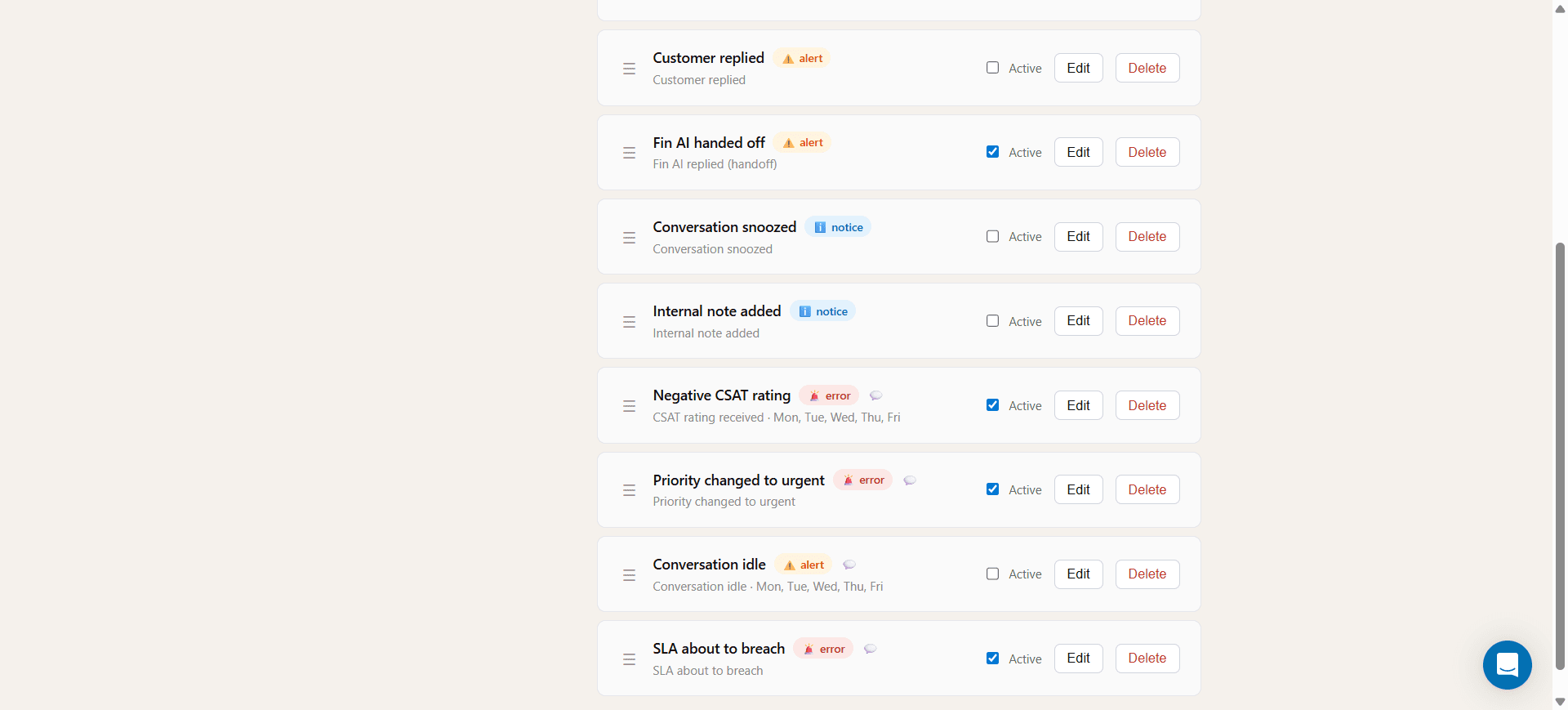
Notification rules list inside the Intercom Inbox sidebar

Build rules without leaving Intercom

Toggle, edit, and reorder notification rules right from the Inbox sidebar — no admin portal required.

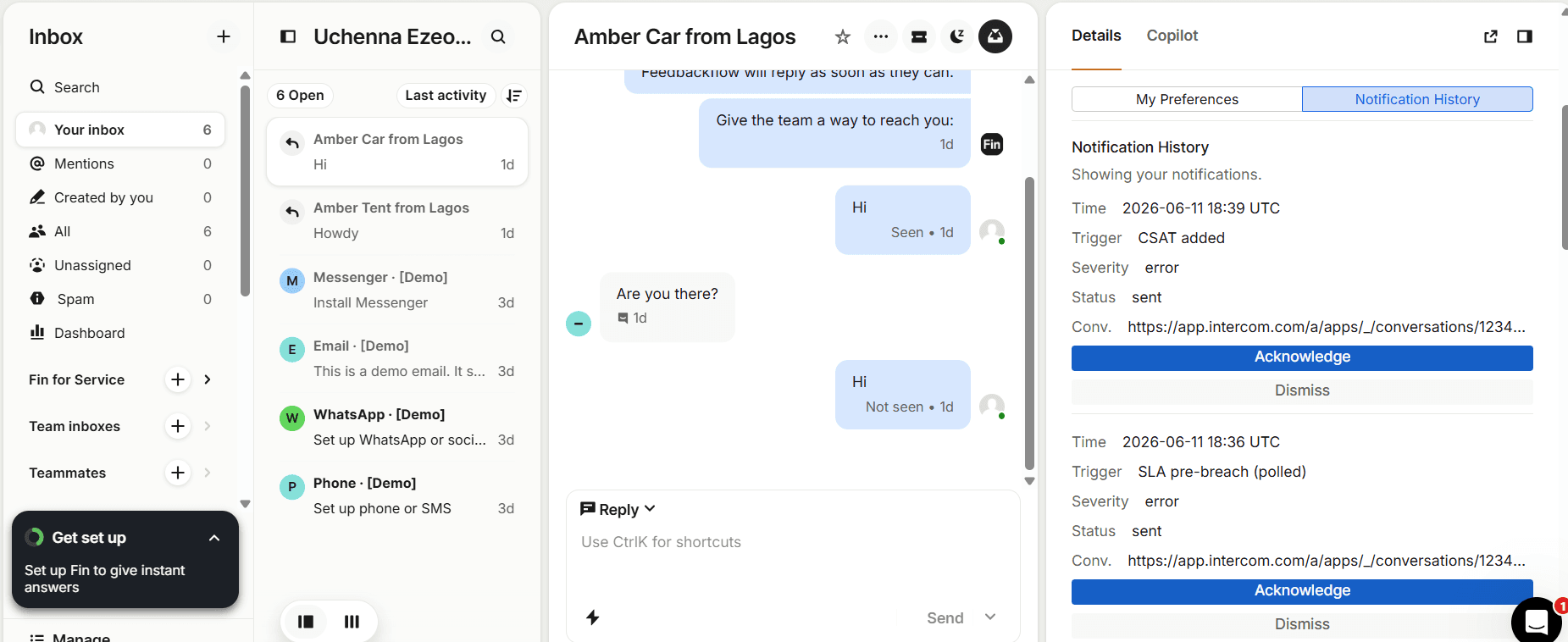
Support Alerts notification history panel inside the Intercom Inbox

Full notification history, in context

Every alert is logged against the conversation it came from, with one-click Acknowledge and Dismiss.

Up and running in three steps

From install to your first alert in minutes

01

Connect Intercom & Slack

One-click OAuth for both. We pre-fetch your team so agents are matched to their Slack accounts automatically.

02

Choose your trigger events

Pick from 10 triggers — SLA breaches, idle chats, CSAT, priority changes, and more — and decide who should be notified and how.

03

Add escalation chains

Define backup teammates who get pinged automatically if the first alert goes unacknowledged — nothing waits in a queue unattended.

Loved by support teams

Built around how support teams actually work

Our SLA misses dropped to almost zero in the first week. The Slack alerts mean nobody has to babysit the inbox anymore.

Maya TorresHead of Support, Brightline

Escalation chains are the killer feature. If someone's away, the alert just finds the next person automatically.

Daniel OkaforSupport Ops Lead, Fenwick

Setup took less than five minutes and it lives entirely inside Intercom. No new tool for the team to learn.

Priya ShahCustomer Experience Manager, Loopline
Simple, transparent pricing

Plans that scale with your team

Every plan includes unlimited rules, all 10 trigger events, and Slack + email delivery. Pay annually and get two months free.

Starter

Up to 10 agents

$29/mo
  • Unlimited rules
  • Slack DM + channel alerts
  • SLA pre-breach alerts
  • Unassigned conversation alerts
  • Idle conversation reminders

Business

Up to 50 agents

$119/mo
  • Everything in Pro
  • Unlimited escalation steps
  • Custom message templates
  • Priority support
  • 1-year notification history

Need more detail? Compare full plan features and annual pricing →

For early-stage teams

50% off your first 6 months

If your company is under two years old and has fewer than 10 employees, you qualify for a startup discount on any plan.

Frequently asked questions

Everything you need to know

No. Support Alerts reads the SLA timers you’ve already configured in Intercom and warns your team before they breach — it doesn’t replace or change your existing SLA setup.

Slack DM, a shared Slack channel, or email — or any combination of the three, configured per rule. Agents can also set mute hours and working days so they’re only notified when they’re online.

Each rule can have an ordered escalation chain. If the first teammate doesn’t acknowledge the alert within a set number of minutes, it automatically goes to the next person in the chain.

Yes — one of the built-in triggers fires when Fin AI hands off a conversation to a human, so your team knows immediately when a customer needs a person.

Yes. Install the app from the Intercom App Store and you can try any plan — no credit card required to explore the setup flow.

Absolutely. You can upgrade, downgrade, or switch between monthly and annual billing at any time from your Support Alerts settings.

Stop finding out about SLA misses from your customers.

Install Support Alerts and have your first rule live in under two minutes.